From any job
Every job page has a Practice button. It starts a live voice interview built from that job description, and it still works after the posting closes.
One-click practice
With Openskill, practicing for an interview takes a single click. Choose Practice on any job and a realistic voice interview starts, built from that job description and your background. There is nothing to copy, paste, or set up first.
Open the job on Openskill and choose Practice. A live voice interview built from that posting starts right away, and a scored feedback report is ready when the session ends.
The short answer
One-click interview practice means starting a realistic mock interview for a specific job without building it yourself. Openskill reads the job description and your profile, prepares questions that fit the role, and opens a live voice session as soon as you choose Practice.
Practice with context
Practice is one click away wherever you are in Openskill: on a job page, in your match details, in a Coach conversation, and on your feedback report.
Every job page has a Practice button. It starts a live voice interview built from that job description, and it still works after the posting closes.
Your match details list the topics the interview is likely to focus on, so you can practice exactly those rounds with one click.
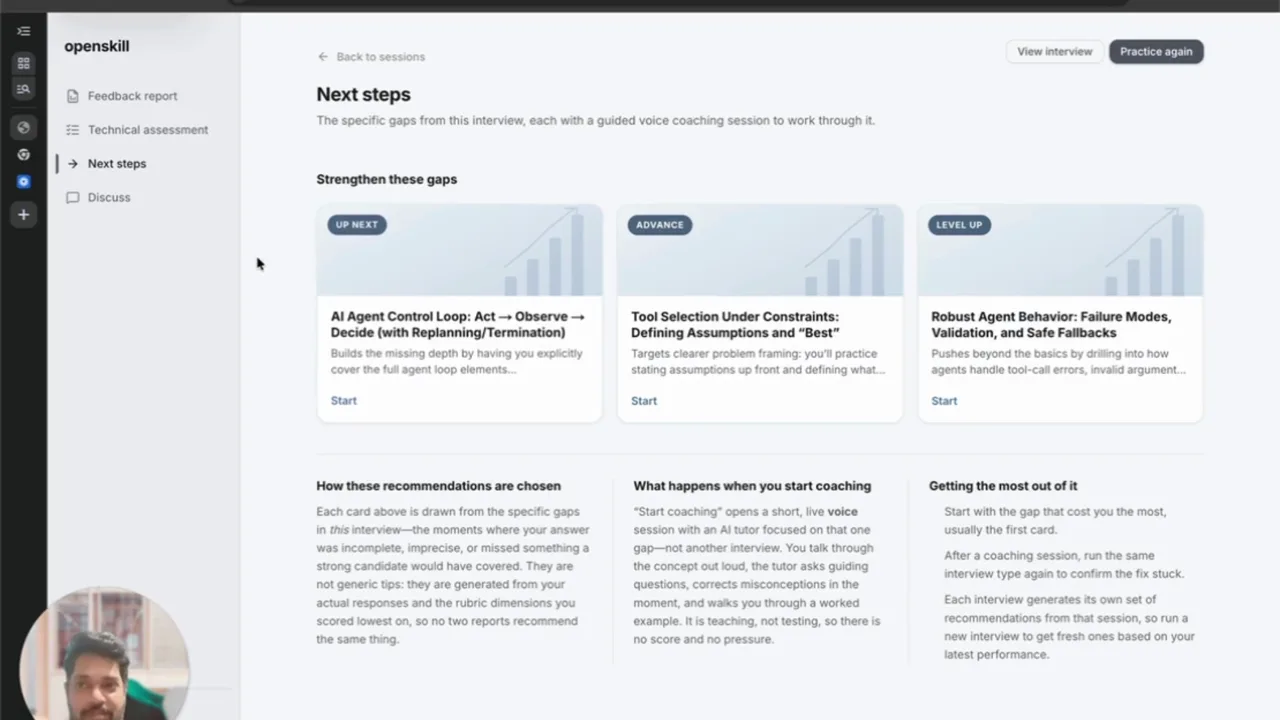
Coach can design a practice session in the conversation and start it in one click, and every feedback report suggests what to practice next.
A sample question
This is the kind of opening prompt you can practice in a live session.
Name the stakeholders and what each wanted, how you found common ground, the decision you reached, and how you know it worked.
Open a job, a Coach suggestion, or a report recommendation and choose Practice.
Answer in a live voice conversation with follow-up questions that adapt to what you say.
Get a scored feedback report, then practice again with one click until you are ready.
From one posting
Use it deliberately
Questions
No. When you start from a job in Openskill, the interview is built from that posting automatically. You can still paste any job description or describe a role in your own words.
Yes. Practice is a fair, supportive interview of about fifteen minutes, and Grill is a tougher session of about twenty-five minutes that pushes every answer further.
Sessions longer than three minutes receive a scored feedback report. It includes strengths, areas to improve, communication signals, a recording with chapter markers, and question-by-question feedback when the format uses questions and answers.
Yes. Paste a job description, a job posting URL, or a plain-language description into Openskill. You can review the generated interview before you begin, and custom interviews stay in your library for another attempt.
Independent guidance
Use these external guides alongside voice practice when you want another perspective on interview preparation.